Skip to content
VORTEXportal Copy link
// setup · 8 steps · ~25 minutes

Access Vortex:
step-by-step

Nothing assumed, nothing skipped. By the end you'll have Tor Browser configured, a verified Vortex link in your clipboard, a crypto wallet ready, and a clear picture of how escrow protects your first purchase. The process takes about 25 minutes the first time. Subsequent visits: under two.

"One prerequisite. Everything here runs through Tor. You don't need a VPN — you need the actual Tor Browser from torproject.org, not a regular browser with Tor enabled. That distinction matters more than anything else on this page."

// Vortex Portal directory note · April 2026
Vortex market access via Tor Browser 2026
// STEP 01

Download Tor Browser

Go to torproject.org — not a mirror site, not a torrent, not a search result. The official page only. Download the package for your OS: .exe for Windows, .dmg for Mac, .tar.xz for Linux.

Before you open anything, verify the GPG signature. The Tor Project's signing key is 0x4E2C6E8793298290. On Linux:

gpg --verify tor-browser-linux64-14.x.tar.xz.asc
# Expected: Good signature from "Tor Browser Developers..."

No GPG available? The download page has SHA256 hashes. Match them with your system's built-in hash tool before installing. This eliminates the most common attack vector: a malicious browser build served by a compromised mirror.

Alternative: Tails OS. A live operating system that boots from USB with Tor Browser pre-configured and no persistent storage. If you use a shared computer, Tails eliminates most operational risks before you even connect. Shut down Tails and nothing remains on the host machine.
Vortex market advanced Tor security settings 2026
// STEP 02

Set security level to Safest

Open Tor Browser. In the toolbar, click the shield icon. Select Change Security Settings. Set to Safest. This disables JavaScript on all sites and restricts most browser features.

Safest mode disables JavaScript, HTML5 media autoplay, WebGL, and WebAssembly. It also restricts font loading to prevent fingerprinting attacks. Sites built for Tor — including Vortex — work without JavaScript. That's intentional. JavaScript is the primary mechanism for deanonymization attacks.

You'll notice most clearnet sites break in this mode. Expected. You're not using this browser for clearnet browsing — keep it Tor-only.

Don't add extensions. Every modification to Tor Browser's default fingerprint makes you more identifiable. Even "privacy" extensions like uBlock Origin change your fingerprint. Run Tor Browser as-is. The NoScript bundled in Safest mode already blocks everything that needs blocking.

Vortex market Tor Browser access guide 2026
// STEP 03

Copy a verified .onion link

Return to this page. Go to the links section or visit Active Links for the full mirror list. Click Copy link next to any of the three verified Vortex mirrors.

Never type a .onion address manually. The addresses are 56 characters. One wrong character sends you to nothing — or to a phishing clone that reproduces Vortex's purple-and-cyan interface exactly. The address is the only signal you can trust. The visual is not enough.

These addresses are cross-referenced against Vortex's official PGP-signed announcements on Dread. Verification happens continuously. Links update the moment official announcements change.

Three mirrors exist because .onion services experience DDoS attacks and intermittent downtime. If the first mirror is slow (over 30 seconds), try the second. If both are slow, check back later — Tor has network congestion during peak hours. Bookmark this directory for future updates when mirrors rotate.

Vortex market anti-phishing protection 2026
// STEP 04

Paste and verify on arrival

Open Tor Browser. Click the address bar. Paste. Press Enter. The connection takes 10–30 seconds. Tor builds a three-hop circuit: your Tor Browser → relay 1 → relay 2 → Vortex's hidden service. Each hop encrypts separately. The wait is normal.

When the page loads, verify the visual before you type anything:

  • Background is near-black with purple-cyan accent colors
  • Logo reads "VORTEX" in Orbitron typeface
  • Interactive elements use a pinkish-red highlight (hsl 339°)
  • No ads, no pop-ups, no requests to install anything

If the colors look wrong, the layout feels off, or the fonts are different — close the tab immediately. You're looking at a phishing clone. Report the address to this directory and use a different mirror.

If the connection fails with a circuit error: click the lock icon in the toolbar → New Circuit for this Site. Forces Tor to route through a different path. Resolves most timeouts within two retries.

Vortex market marketplace interface 2026
// STEP 05

Browse before you register

First-time visitors land on the Vortex homepage. The interface is structured as: header navigation with search, a listings feed browsable by category, an account area top-right, and currency status showing live XMR/BTC/USDT rates from the built-in exchange.

Take time to orient before registering. Browse listings as a guest for a few minutes. This gives you a realistic sense of what's available before creating an account tied to your usage patterns.

Search and category browsing work without JavaScript (server-side rendering). Static exchange rates display when JS is disabled — the real-time updates require JavaScript, which you've disabled for good reason. That's a minor tradeoff.

Vortex launched in October 2023. As of April 2026, it carries 17,297 active listings across 2,639 approved vendors. Sort by vendor rating for first purchases — not by price. A 4.9-rated vendor with 400 transactions is a better starting point than a cheaper listing from a 3.8-rated vendor with 12.

Vortex market login interface with PGP 2FA 2026
// STEP 06

Create account with PGP

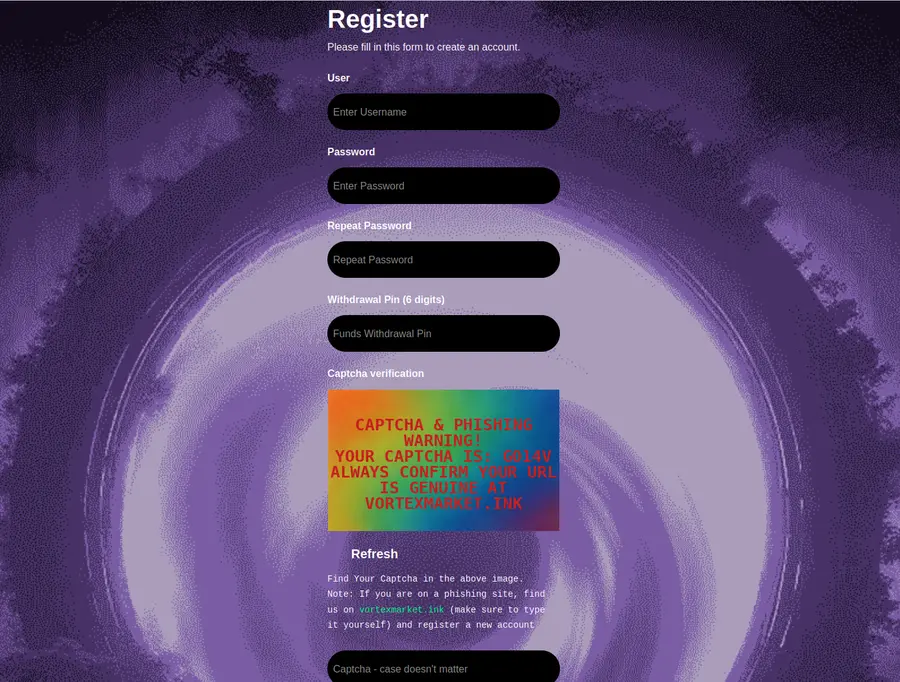
Registration requires three things: a unique username, a strong password, and a PGP public key.

Username: make it unmemorable. Random strings, not your usual handle, not variations of any existing account. "xr2948ab" beats "darkjohn2026" by a large margin. The username is pseudonymous but attached to your full purchase history — treat it as an identifier that must never connect to your real identity.

Password: use KeePassXC or a Tor-compatible password manager. Generate a random 24-character string. Write nothing down in physical form with any identifying context.

PGP key setup — run this before you register:

gpg --gen-key
# Accept defaults (4096-bit RSA). Expiry: 1-2 years.
# Email can be fake — the fingerprint is what matters.

gpg --armor --export YOUR_KEY_ID
# Copy the full output. Paste into Vortex's PGP field at registration.

Without a PGP key, vendor messages arrive unencrypted. Anyone with database read access sees your shipping details. Upload the public key. Keep the private key backed up offline and encrypted — it's your identity on the platform. See gnupg.org for detailed key management guidance.

Vortex market recovery phrase and wallet backup 2026
// STEP 07

Set up your crypto wallet

Vortex accepts XMR, BTC, and USDT (TRC20). Each has distinct trade-offs. You don't need to source the exact currency before arriving — Vortex's built-in exchange handles conversions within the platform. But you do need at least one supported currency in a local wallet before you can purchase.

Monero (XMR): the privacy default. Transactions are unlinkable by design — ring signatures, stealth addresses, and RingCT make blockchain analysis functionally impractical. For any purchase where privacy matters, XMR is the rational choice. Get the Monero GUI wallet from the official site, or use Cake Wallet for mobile.

Bitcoin (BTC): familiar, widely available, but leaves a permanent and readable transaction record on the public blockchain. Chain analysis firms actively monitor privacy network transaction patterns. If you use BTC, apply CoinJoin before sending. Without mixing, your transaction history is an open ledger.

USDT (TRC20): a stablecoin pegged to USD on the TRON network. No volatility during the escrow window. If XMR's price swings 20% in two weeks, USDT-denominated orders aren't affected. Trade-off: TRON addresses are traceable. Use USDT only when stablecoin convenience outweighs privacy requirements.

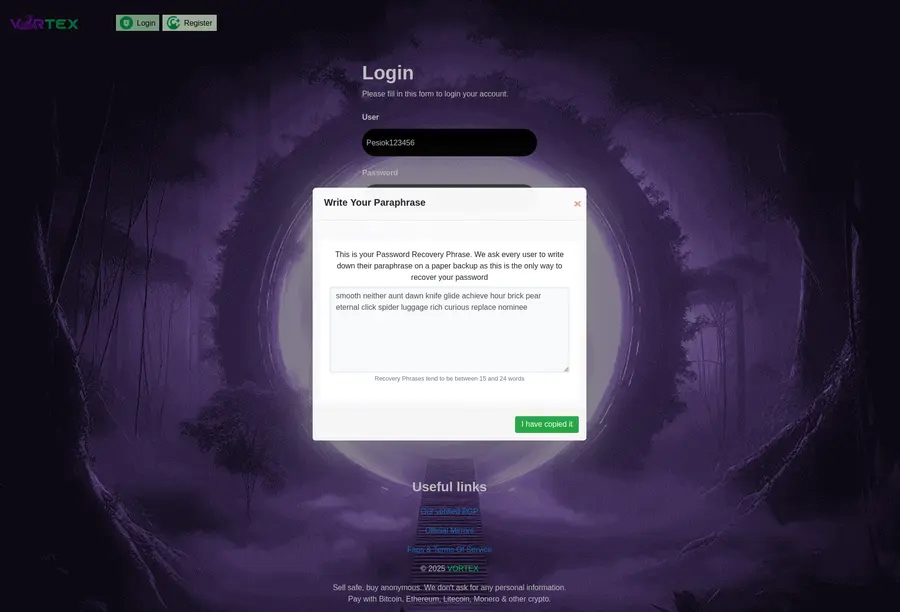
Write down your recovery phrase. Store it offline. This phrase recovers your wallet if your device is lost. Never photograph it or save it digitally.

Vortex market escrow protection system 2026
// STEP 08

Your first transaction

Before placing an order, understand escrow. It's the mechanism that makes the platform function.

Standard 14-day escrow: your payment goes to escrow. The vendor ships. You have 14 days from shipping confirmation to file a dispute. No dispute filed means automatic release to the vendor. This is the default — and what you should use for every first purchase.

Finalize Early (FE): payment releases immediately to the vendor. No buyer protection. Available only for major vendors with 500+ transactions and high ratings. Never use FE on a first purchase. It exists for established relationships, not for vendors you're meeting for the first time.

Checking vendor reputation: look for minimum 50 completed transactions, rating above 4.7/5, recent reviews within 30 days, and dispute rate below 2%. Read the negative reviews — not just the aggregate score.

After ordering: monitor status in your account. Message the vendor through Vortex's encrypted messaging if there are delays. Keep the dispute window in mind — it starts from shipping confirmation, not from payment. After it closes without a dispute, escrow releases automatically. That's it. Done.

// payment options · choose one

Which currency to use

Vortex's built-in exchange means you don't have to get this perfect before you arrive. But knowing the trade-offs upfront saves confusion at checkout.

// XMR

Monero

Maximum privacy. Ring signatures make transactions unlinkable. Recommended for all privacy-conscious purchases. Get from getmonero.org.

BEST CHOICE

// BTC

Bitcoin

Familiar and widely available. Public blockchain means transactions are traceable — apply CoinJoin before sending to Vortex. More privacy work required.

USE WITH MIXING

// USDT

Tether TRC20

USD-pegged stablecoin on TRON. No price volatility during the 14-day escrow window. Traceable on TRON blockchain — privacy trade-off for stability.

STABLE, NOT PRIVATE

Never send XMR directly from a KYC exchange (Kraken, Binance, Coinbase) to Vortex. Exchanges log your identity. Use a local wallet as an intermediary — exchange → local wallet → Vortex. The gap breaks the identity link. For a detailed Monero wallet guide, read the Inside Vortex overview.

// operational security · don't skip this

OPSEC: platform security is the easy part

Vortex's multisig escrow and PGP encryption are solid. The weak link is behavior — yours. Platform security protects you inside Vortex. Operational security protects you outside it.

// rule 1

Never mix identities

Your Vortex identity lives only inside Tor Browser. Don't log in from your phone on a home network. Don't log in from work. The moment a privacy network pseudonym connects to a clearnet identity, the separation collapses entirely.

// rule 2

Browser discipline

Use Tor Browser exclusively for Vortex. Don't use the same instance for clearnet browsing. Don't install extensions — each one modifies your browser fingerprint and narrows your anonymity set.

No VPN with Tor. Adding a VPN introduces a centralized service that logs traffic and can be subpoenaed. It also narrows your anonymity set — instead of sharing Tor's global user pool, you share the VPN's smaller pool. Use Tor Browser alone. The Electronic Frontier Foundation has detailed documentation on why Tor + VPN usually reduces, not increases, anonymity.

Vortex market anonymity and privacy network security 2026
// recommended

Tails OS

A live OS from tails.net that boots from USB, routes everything through Tor, and leaves zero trace on the host machine at shutdown. For users without a dedicated device, Tails is the standard.

// alternative

Whonix

Runs as a VM pair from whonix.org: one VM routes all traffic through Tor, the other runs applications. More persistent than Tails, harder to set up, useful when you need to save state between sessions.

Whonix and Tails OS security setup for Vortex market 2026
// Tails OS and Whonix provide OS-level isolation — recommended for dedicated Vortex sessions
Payment hygiene: never send XMR directly from a KYC exchange to Vortex. The chain — exchange → your local wallet → Vortex — breaks the identity link. The intermediate local wallet step costs you one transaction and saves you the direct association. Always use Privacy Guides as a reference for current best practices — the recommendations update as threats evolve. Also consider disk encryption with VeraCrypt for any device you use to access Vortex.
// frequently asked · setup edition

Common questions

Questions that come up repeatedly when people try to access Vortex for the first time. For more detailed answers about the platform itself, read Inside Vortex.

How do I access Vortex market for the first time?

Download Tor Browser from torproject.org. Set the security level to Safest (shield icon in toolbar). Copy a verified .onion address from this page — never type it manually. Paste into Tor Browser and wait for the circuit to build. Verify the purple-cyan Vortex interface before entering any credentials. That's the complete process for a first visit.

What cryptocurrencies does Vortex accept?

Vortex accepts Monero (XMR), Bitcoin (BTC), and USDT on the TRON network (TRC20). The built-in exchange lets you convert between all three without leaving the platform. Monero is the recommended choice for maximum transaction privacy — its ring signatures make transactions unlinkable on the blockchain. USDT offers price stability at the cost of traceability. BTC requires coin mixing before use.

Do I need a PGP key to register on Vortex?

PGP is required for encrypted vendor communications. Without uploading your public key during registration, messages from vendors arrive unencrypted — your shipping address and order details are readable by anyone with database access. Generate a key with GnuPG before you register: gpg --gen-key, then export with gpg --armor --export YOUR_KEY_ID. The whole process takes about five minutes.

How does Vortex escrow protect buyers?

Standard 14-day 2-of-3 multisig escrow. Buyer, vendor, and Vortex each hold one cryptographic key. Two of the three keys are required to release funds — no unilateral release is possible by any single party. If no dispute is filed within 14 days of shipping confirmation, funds release to the vendor automatically. File a dispute within that window and Vortex mediates. The 14-day clock starts from shipping confirmation, not from payment.

What is Finalize Early and when should I use it?

FE releases payment to the vendor immediately, before delivery confirmation. No buyer protection applies once FE is selected. FE is available only for major vendors — those who have accumulated 500+ transactions with high ratings. For first purchases, never use FE. It removes the escrow safety net entirely and transfers all risk to you. FE is for established vendor relationships where you've already completed multiple standard-escrow orders successfully.

How do I verify a Vortex link is legitimate?

Cross-reference the .onion address against Vortex's official PGP-signed announcements on Dread. The addresses on this directory match those verified announcements — they update immediately when announcements change. After connecting, verify the visual: dark background, purple-cyan color scheme, Orbitron font for the logo. Phishing clones reproduce the visual accurately, so use the visual only as a secondary check after address verification, not as the primary signal. If anything looks wrong, close the tab.

What is Vortex's built-in cryptocurrency exchange?

Most privacy network markets require users to acquire the exact payment currency externally before purchasing — an extra step that involves external services and more exposure. Vortex integrates an exchange directly: convert between XMR, BTC, and USDT at real-time rates within the same Tor session. Fund with BTC, convert to XMR inside Vortex, pay in XMR — the entire flow stays within Tor. This is Vortex's defining feature, added in direct response to user feedback about friction in the standard purchase flow.

Should I use a VPN with Tor Browser when accessing Vortex?

No. Adding a VPN to Tor Browser introduces a centralized service that logs your traffic and can be legally compelled to produce those logs. It also narrows your anonymity set — instead of sharing Tor's global user pool of millions, you share the VPN's smaller pool. Use Tor Browser at Safest security level, ideally from Tails OS on a dedicated USB drive. That setup provides stronger isolation than any VPN configuration. The EFF and Privacy Guides both document why Tor + VPN is usually counterproductive.

How many Vortex mirrors are there and why?

Vortex maintains 3 verified .onion addresses. All run identical platform instances — logging in through any mirror gives you the same account, the same listings, the same order history. Mirrors exist because .onion services are targets for DDoS attacks and intermittent downtime. When one mirror is slow or unreachable, you switch to another without losing anything. Mirrors are authenticated via PGP-signed announcements — which is why address verification matters more than speed. Bookmark the Active Links page so you always have current addresses when mirrors rotate.

// ready to connect

Copy a verified Vortex link.

Tor Browser is configured. Security level is Safest. Wallet is ready. Now copy the address — and verify the visual when you arrive. That's the entire checklist. Simple. Works.

Open in Tor Browser

Need all three mirrors? Visit Active Links for the full list with individual copy buttons. Questions about the platform? Inside Vortex covers features, escrow, and the built-in exchange in depth.